What Is an AI Agent? A Small Business Guide
A practical way to decide whether an AI agent can take repetitive work off your list, what to let it access and where a person stays in control.
 ClaroSi · Published · Updated · 10 min read
You hear “AI agent” everywhere, but what would one actually do in your business?
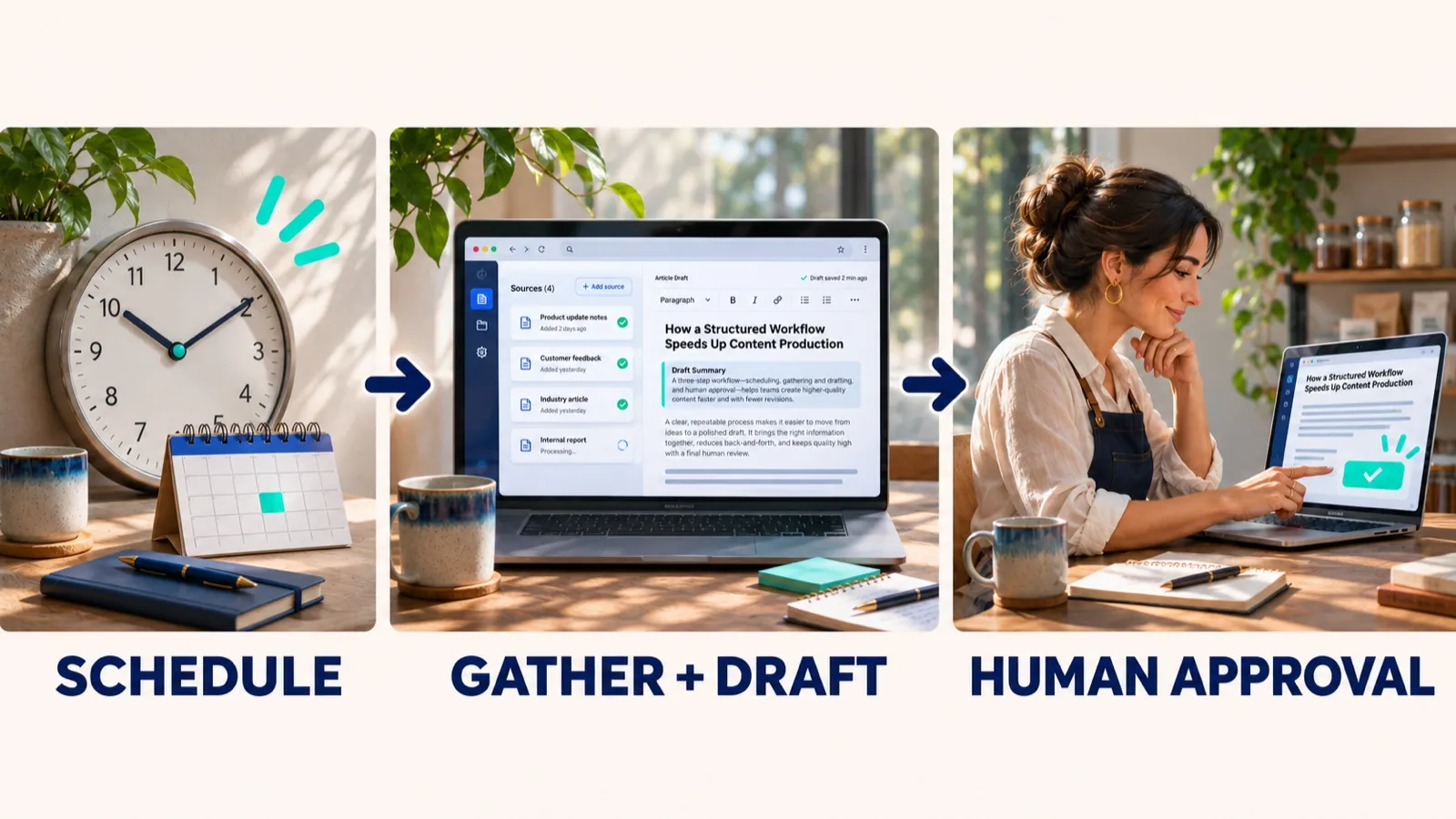
What is an AI agent? It is software that works towards a goal using information and tools you give it. It can gather information and prepare a draft. Some products can also take an action, such as sending a message, so check the permissions. In our work, an agent does not publish, send or change anything on its own. For a small business, begin with one repeatable task, limit access, and have a person check the result before anything reaches a customer.
A useful distinction: “AI agent” is used differently across products. Look at the actual job, connected accounts and allowed actions, rather than trusting the label on a sales page.
What does an AI agent do?
An AI agent receives a goal, uses available information and tools, then returns a result. [2] A simple version might read a set of public pages and draft a summary. A more connected version could update a record or send a message, but only if you allow it. The access and approval settings decide how far it can go.
For example, you could ask for a Monday report of customer questions. The agent reads a limited list of messages, groups common themes, links each point to its source and drafts a summary. You check that the examples and counts are accurate before sharing it.
Can the task be described clearly, repeated often, and checked quickly by someone who understands the work? If not, first improve the process or use a checklist. Adding an agent to a confusing process can make mistakes faster.
Some tools marketed as agents are closer to a chatbot, a fixed automation or an assistant that helps while you work. Products can combine these approaches. The name alone does not tell you whether the tool can read, write, publish or send.
Should you use an agent, a chatbot or a simple automation?
Choose the lightest tool that handles the job reliably. If the steps are fixed, ordinary automation is often easier to predict. If a person needs an answer in a conversation, a chatbot may fit. An agent is more useful when the next step depends on what it finds and a person can review its work.
| Tool | Good fit | Example | Check before choosing |
|---|---|---|---|
| Checklist or standard process | Infrequent work with clear steps | Prepare a site launch by following a one-page list | Could a person finish it faster by hand? |
| Rule-based automation | Same trigger and same steps each time | Save a form enquiry in a tracking sheet | Are the rules stable and easy to test? |
| Chatbot or AI assistant | Help responding to questions or creating a one-off draft | Draft an answer from an approved service guide | Can you verify the answer and its source? |
| AI agent | A recurring task that needs several steps and can be checked | Review selected pages, flag missing details and prepare a report | What can it access or change, and who approves the result? |
For a closer comparison of AI agents and chatbots, see Microsoft Learn’s overview of AI agents. Product capabilities vary, so check the tools and permissions included in the product you are considering.
What could an AI agent do for a small business?
These are examples to help you assess a task, not case studies or claims about results. Each one has a narrow job and a visible point where a person takes over.
Turn enquiries into a weekly summary
Input: an approved set of enquiries with unnecessary personal details removed.
Output: a draft that groups common questions and links back to the source records.
Human check: confirm the themes and counts before deciding whether your website or process needs an update.
Prepare draft replies for review
Input: a new public review and a short list of approved business facts.
Output: a suggested response for the owner to edit.
Human check: confirm the reply is accurate, appropriate and ready before posting it yourself.
Find missing details on key pages
Input: a list of service pages and a simple check, such as whether each has a contact route.
Output: a dated list of pages that need a closer look.
Human check: open each page, confirm the finding and choose whether to fix it.
A useful pilot also records a baseline: how long the task takes now, how often it happens, how many results need correction and who checks them. Without that, “it saved time” is hard to confirm.
How do you plan a safe first AI-agent pilot?
Write down the boundaries before connecting a tool. A small test should be easy to review, easy to stop and limited to one task.
- Pick one recurring job. Describe the current steps and the part you want help with. Keep judgement and customer commitments with a person.
- Choose the smallest useful input. Start with public information or a limited sample. Remove personal or confidential details unless they are truly needed and approved.
- Keep access narrow. Begin with read-only access where possible. Do not connect every inbox, file store or website because a product offers those connections.
- Name the reviewer. One person checks sources, accuracy and tone. Decide what happens when a source is missing or the result looks wrong.
- Set a stop rule. Agree who can pause the task, what errors trigger a pause and how the team returns to the manual process.
- Review the pilot before expanding. Compare time saved with setup and checking time. Keep it only if it helps without creating extra risk or rework.
For Irish businesses, the Data Protection Commission advises organisations to understand the personal-data and security risks when staff use third-party AI tools. Check what information a tool receives, how the provider handles it and what controls your organisation needs before use. This guide is practical information, not legal advice. [1]
| Ask the provider | Record the answer |
|---|---|
| What information can the tool read? | Connected accounts, files, messages and data types |
| Can it send, publish or edit? | Each action it can take and how to turn that access off |
| Who can review activity? | Named person, available logs and review routine |
| How is submitted data handled? | Provider settings, retention terms and any use for training |
| What happens when it fails? | How errors appear, who is notified and how to stop the task |
| What will the full pilot cost? | Subscription, usage, setup, connection and review time |
How do you work out the real cost?
Compare the full cost with the work you expect to reduce, not just the advertised subscription. Include time to set up the task, check output, correct mistakes and maintain connected accounts.
Agent cost: subscription + usage fees + setup and maintenance time + checking and correction time.
Current task cost: hours spent doing the task now × the value of that time.
Run a limited pilot first. The comparison is an estimate until you have measured it with your own work.
Also ask what a mistake would cost. A draft that needs a quick edit is different from an incorrect message sent to a customer or an unauthorised change to a live website.
How can AI fit into search work?
AI can help organise public information and prepare draft notes. A person checks any finding against its source, and no draft is published or website changed without approval. This describes a working safeguard, not a client result or proof of time saved. Read how a Search Evidence Review works.
The business examples in this guide are illustrative, not client results. If you are considering AI for search or website work, a Search Evidence Audit can establish what your current site and approved data show before you decide what to automate.
Common questions about AI agents
Is an AI agent the same as a chatbot?
No. A chatbot mainly responds to a person in a conversation. An AI agent can also use tools and carry out a sequence of steps towards a goal. Some products combine both, so check what the product is permitted to do.
Does an AI agent need access to my website or customer data?
Not always. Start with the smallest amount of access the task needs. For a first pilot, an agent may be able to work from a limited export or public information. Avoid sharing personal or confidential data until you have checked the provider, settings, retention and access rules.
Can an AI agent send emails or change my website?
Yes, some systems can be connected to send messages or change records, if you allow it. Those permissions are a choice, not an automatic requirement. Keep them off during an early pilot and require a named person to review and approve any customer-facing or website change.
How much does an AI agent cost a small business?
There is no standard price. Add the subscription, usage charges, setup, integration and staff checking time over a full year. Compare that total with the time or service cost the task currently takes, and stop if the pilot does not show a clear benefit.
What can an AI agent do for my business?
An AI agent can gather and sort information, prepare drafts, check a list of pages or records against a simple rule, and produce a report for a person to review. What it can do depends on the tools and permissions you connect. Start with one repeated task that someone already checks by hand.
Is ChatGPT an AI agent?
Not on its own. ChatGPT is mainly a chat tool. It starts to work more like an agent when it is given tools and a multi-step task, such as searching connected files or apps. Check what it is allowed to access and do before relying on it for business work.
When should a small business avoid using an AI agent?
Avoid an agent when the task is rare, simple enough for a short checklist, hard to check, or involves high-impact decisions that need qualified human judgement. Improve the process first if the steps and ownership are unclear.
Sources and further reading
- Data Protection Commission: AI, Large Language Models and Data Protection (18 July 2024). Guidance on considering personal-data and security risks when using third-party AI tools.
- Microsoft Learn: Introduction to AI agents. A technical overview of agents, instructions, tools and actions; product capabilities vary.
- Google Search Central: Guidance on using generative AI content on your website. Google advises accuracy, quality, relevance and human fact-checking for generated web content.
Refresh note: Product permissions, provider terms and data controls change. Recheck those details with the provider before connecting a live business account.
At ClaroSi, we run evidence-led website and search reviews for Irish startups, solo founders and small businesses. Read about the approach.